Docs
KNet Connectors

KNet Connectors
Connect third-party apps, agent skills and plugins once, then use them from Kue, K-Nets and your agents (MCP).
KNet Connectors connects KNetAI to other software. You connect an app once per workspace; then Kue, your K-Nets and your agents can call its functions through the Model Context Protocol (MCP). Connectors is also how Kue reaches the rest of the platform. It lives at flow.knetai.com/connectors; one integration is a connector.
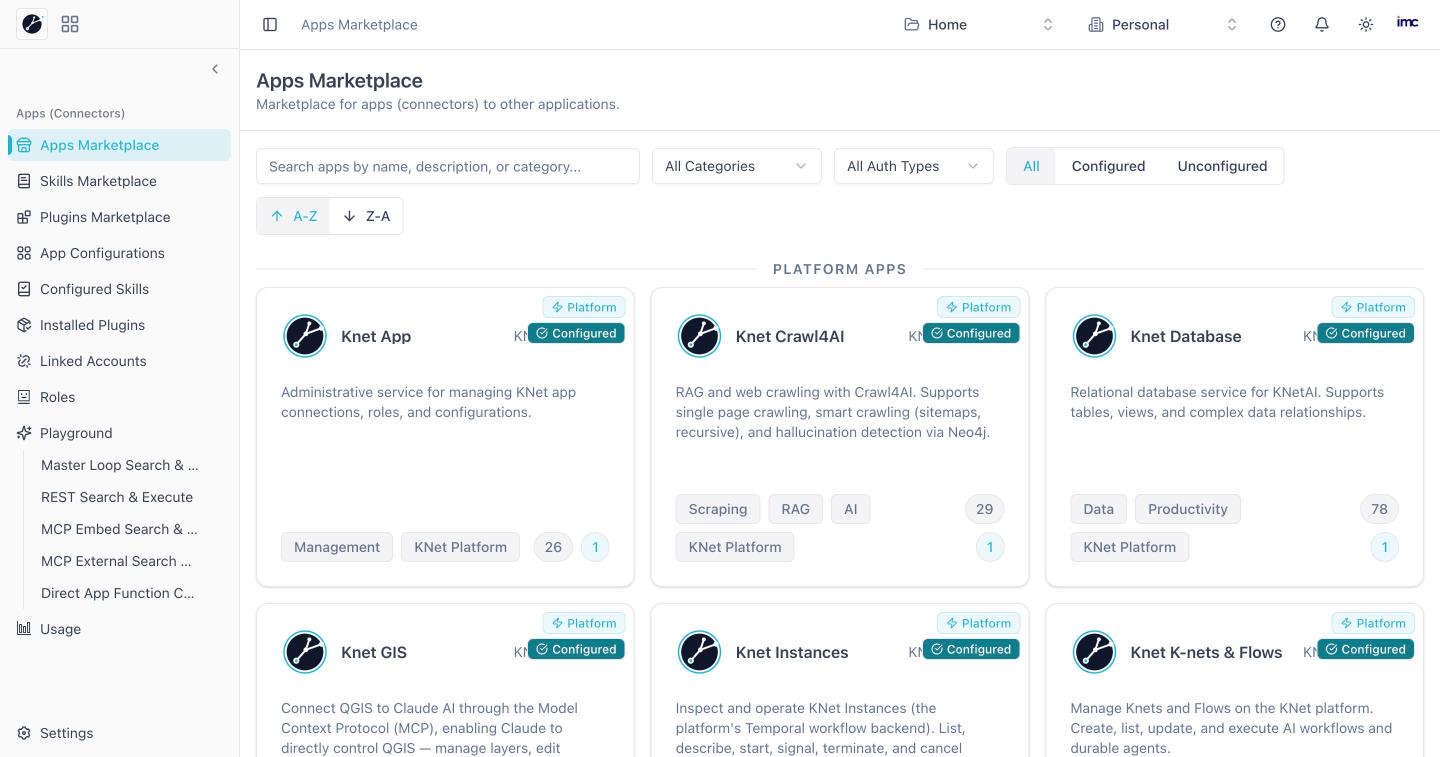
Pages
| Page | What it is for |
|---|---|
| Available | Connect and discover third-party services. Platform connectors (KNet's own services) come first |
| Skills Marketplace | Browse and configure modular agent skills |
| Plugins Marketplace | Install and manage MCP and API plugins |
| Connector Settings | Configured connectors' credentials and settings |
| Configured Skills | View and customise active agent skills |
| Installed Plugins | Installed plugins and their tools |
| Connected | Your and the workspace's connected accounts |
| Roles | Agent roles, their access and allowed connectors |
| Playground | Try agent tools and execution loops (Master Loop, REST, MCP embed, MCP external, direct function calling) |
| Usage | API requests, token usage and quotas |
| Settings | Workspace, organisation and preferences |
Typical tasks
- Connect Gmail: Available → Gmail → configure → link your account.
- Test a function before an agent uses it: Playground.